
Australian knowledge workers lose nearly a quarter of their week, roughly 10 hours, just looking for information. That figure comes from Atlassian’s State of Teams 2025 report. Some of those hours go on IT problems that should take minutes. A locked login. A new starter with no access to the shared drive. A printer that has quietly stopped talking to anyone. A proper service request management system won’t fix every bottleneck. It does stop small IT jobs from eating the whole morning, though.
First, What Counts as a Service Request?
People tend to lump every IT ticket together, but there are really two kinds. An incident is when something breaks, like email going down for the whole office. A service request is when someone needs something the business normally provides. Think software installs, access to a folder, a new laptop or a password reset.
The difference matters because each one needs different handling. Incidents need fast diagnosis. Requests mostly need a clear process, the right approval and someone to act on them. When both land in the same email inbox, urgent work and routine jobs end up fighting for attention.
Where Do the Hours Actually Go?
Picture a Monday at a 40-person accounting firm in Brisbane. A new hire started, but nobody told IT. She spends the morning reading policy documents while someone tracks down a laptop. Meanwhile, the office manager emails the IT contractor about a broken scanner. That email sits unread under thirty others. By Wednesday, three people had asked the same contractor for the same fix.
None of this is unusual. The same Atlassian report found 54.7% of Australian workers are regularly blocked waiting on information from other teams. When the thing you’re waiting on is an IT fix, work simply stops. The IT team is often perfectly capable. What’s missing is one place for requests to land. Right now they arrive by email, phone, Teams and the odd chat by the kitchen.
How A Service Request Management System Speeds Things up
One Front Door For Every Request
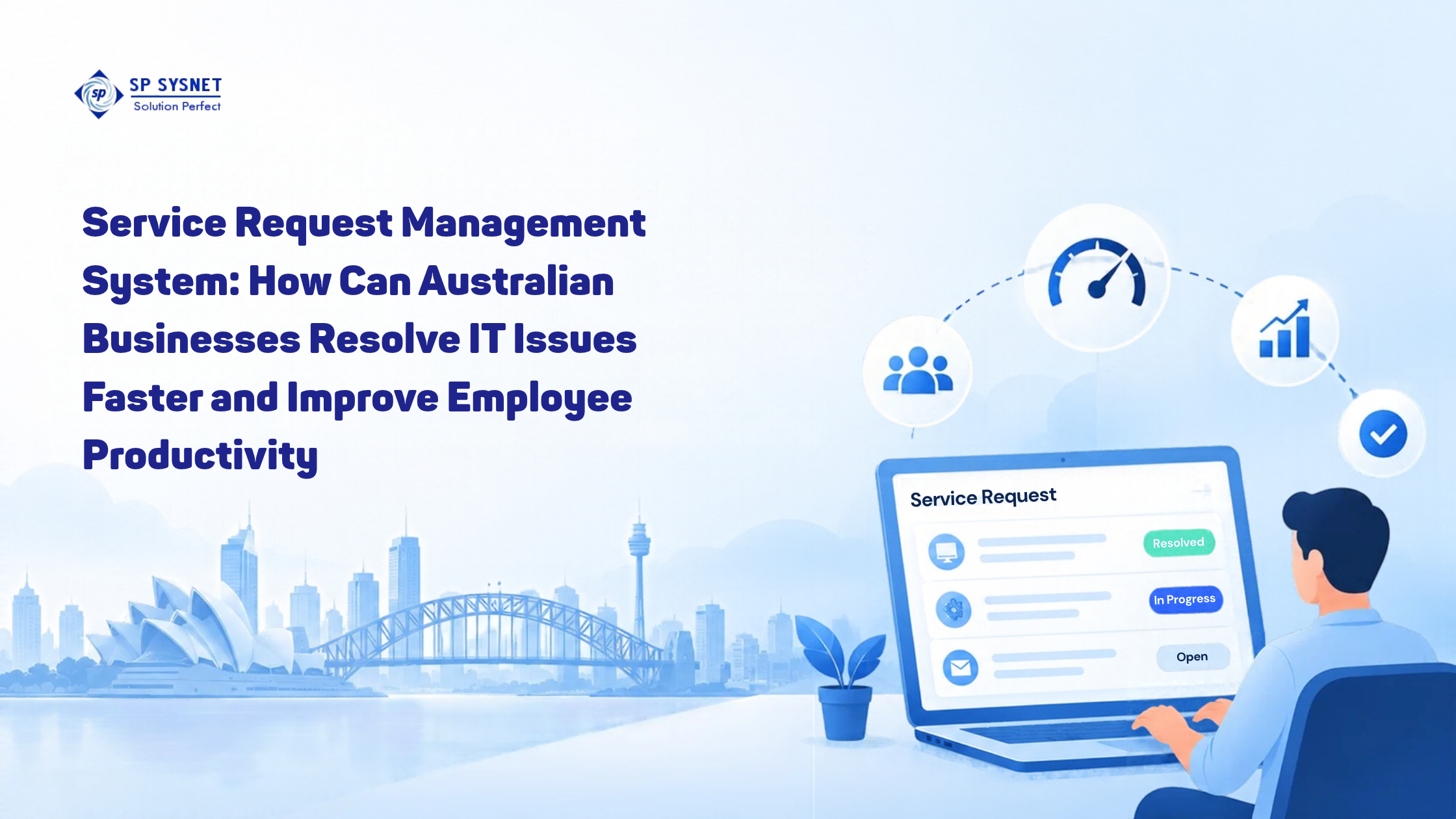
The biggest change is also the simplest. Staff raise every request through one portal, usually with a short form for each type. A new starter form might ask for the start date, the role and which systems they need. IT gets everything in one go, so there’s no back-and-forth email chain. Each request gets a ticket number, and whoever raised it can see where it’s up to.
Routing that Doesn’t Rely on Anyone’s Memory
A service request management system can send each request to the right person automatically. Hardware goes to one queue, and access requests go to another. Priorities follow agreed rules, so a payroll login problem on pay day jumps ahead of a monitor upgrade. When something sits too long, the system flags it. Nobody has to remember to chase.
Self-Service for the Easy Stuff
Plenty of requests don’t need a person at all. Password resets, common how-to questions and software from an approved list can often go through self-service. A short help article on connecting to the office Wi-Fi saves IT from answering that question again and again. Staff get an answer straight away, and IT gets time back for harder problems.
Reports that Show Where Things Get Stuck
After a few months, the data starts telling a story. You might find that a big share of requests involve one ageing application. Or that new software approvals sit for days on one manager’s desk. A shared inbox will never show you patterns like that. Fix the worst two or three, and the whole queue moves faster.
Security Can’t be an Afterthought
Many service requests are really access changes. Someone needs admin rights, a new account or entry to a finance folder. If those get approved casually over chat, you have a security gap with no paper trail.
The risk is very real. The Australian Signals Directorate received over 84,700 cybercrime reports in 2024-25, about one every six minutes. The average self-reported cost was $56,600 for small businesses and $97,200 for medium ones. The OAIC received 1,205 data breach notifications in 2025, its highest yearly total since the scheme began.
A well set up system builds approvals into the workflow. Access is granted by the right person, and every change is logged. ASD calls the Essential Eight its most effective mitigation strategies. It also says basics like strong MFA, updated software and regular backups can prevent most reported incidents. Clean, recorded access requests make those controls far easier to keep up.
Choosing a Secure IT Service Provider to Run it
Software alone won’t get you there. Someone has to build the request forms, routing rules and approvals, then keep them current as the business changes. That’s where a secure IT service provider earns its keep. A few questions are worth asking before you sign anything:
- How do you confirm who’s asking before you reset a password or grant access?
- Is multi-factor authentication switched on for the request portal itself?
- How long do you keep request logs, and can we see them?
- When someone leaves, is offboarding a tracked request with a checklist?
A secure IT service provider should answer these without hesitating. If the answers are vague, keep looking.
SP Sysnet’s managed IT services cover monitoring, maintenance and ongoing support for your systems. Pairing that with end user IT training helps staff use the portal properly. The training also covers cyber security awareness, so people are better at spotting threats before they turn into tickets.
Where to Start
You don’t need to overhaul everything at once. Pick the five or six requests your team raises most. Build a simple form for each, and give every one a clear owner. A service request management system grows comfortably from there. Want help setting one up with a secure IT service provider that takes access control seriously? Have a chat with SP Sysnet.
FAQs
- What’s the difference between a service desk and a service request management system?
A service desk is the team that staff contact for IT help. A service request management system is the software and process behind it. It captures requests, sends them to the right person and tracks them until they’re closed. Without one, the desk is mostly working from memory and email.
- Is a service request management system worth it for a small business?
Often, yes, even with ten or fifteen staff. The setup can be light, with a handful of request types and a single queue. You gain a record of every request, and fewer jobs slip through the cracks. More structure can come later as the business grows.
- How does it improve employee productivity?
Staff spend less time chasing IT and waiting on replies. They can check where their request is up to, and simple fixes happen through self-service. Fewer interruptions also help the IT team work through jobs faster.
- What should a secure IT service provider include in the setup?
Identity checks before password resets or access changes, for a start. Multi-factor authentication on the portal, approval steps for sensitive requests and proper logging should all be there too. Offboarding should be a tracked request, so former staff don’t keep access.
-
Can we keep using email for IT requests?
You can let staff email requests in, as long as the system turns each email into a ticket. That way nothing lives only in someone’s inbox. Over time, it’s worth nudging people toward the portal, because the forms collect better information.